2026.06.07
Cleaner Mobile Annotation Controls
AnnotateShot 4.4.1 makes the mobile editor quieter, clearer, and easier to test.
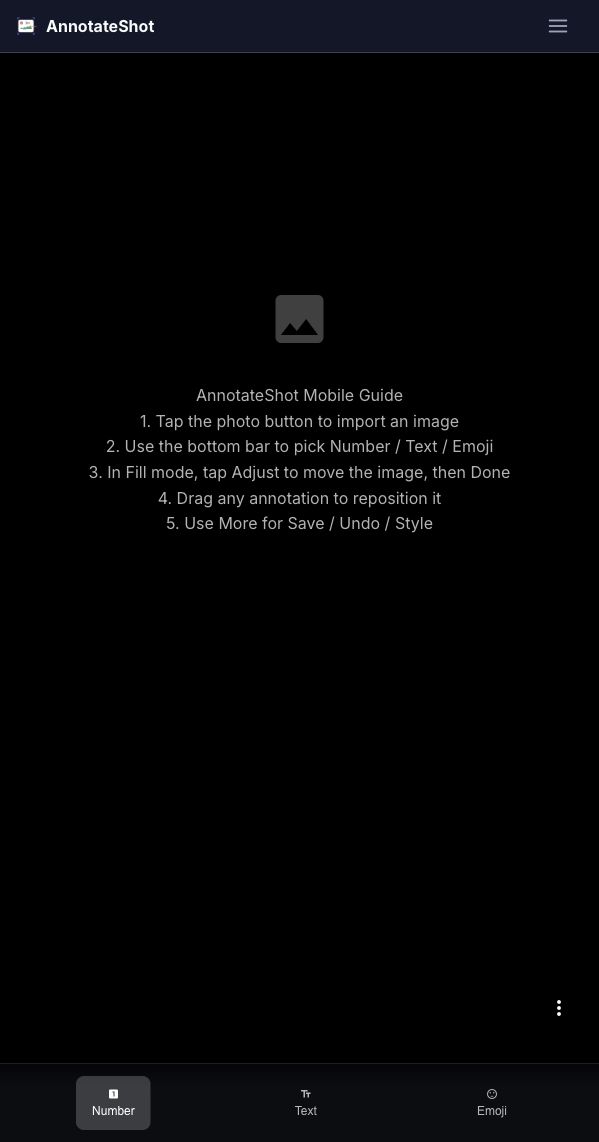
Mobile annotation tools have a different job from desktop sidebars. They need to stay close to the thumb, but they should not sit on top of the work. In this release, AnnotateShot tightens the mobile interface around that idea.
The first change is simple: the floating action stack now starts collapsed. Instead of showing import, save, undo, style, and more actions at once, the editor keeps one More button visible and lets users expand the stack when they need it. That leaves more of the screenshot open for tapping number markers, placing text, or checking details near the lower-right corner.
We also cleaned up the visual language. The image controls, the floating More action, and the Number mode now use distinct Material icons. User-facing labels no longer mix decorative emoji into button text or toast messages. The result feels less like a quick prototype and more like a focused editing surface.
Finally, we improved the way mobile mode can be tested from a desktop browser. When ?mobile=true is used without touch support, AnnotateShot can fall back to mouse clicks for mobile QA. That gives us a practical way to catch layout and annotation regressions before trying the same flow on a phone.
These are small changes, but they matter in the moments AnnotateShot is built for: marking up a screenshot quickly, sending clear feedback, and not fighting the tool while you are trying to explain something.